Truck driver app for dispatch, documents and pay
A driver app built for gloves, glare and dead zones.
One screen, one task, big enough to read at arm's length, and it keeps working between cell towers.
- One thing at a time.The next stop, not a dashboard.
- Works with gloves and glare.Big targets, high contrast, no fine print.
- No check calls.Status and documents reach dispatch on their own.
ROADMARK VOICE / THE DRIVER’S ASSISTANT
A voice beside every driver.
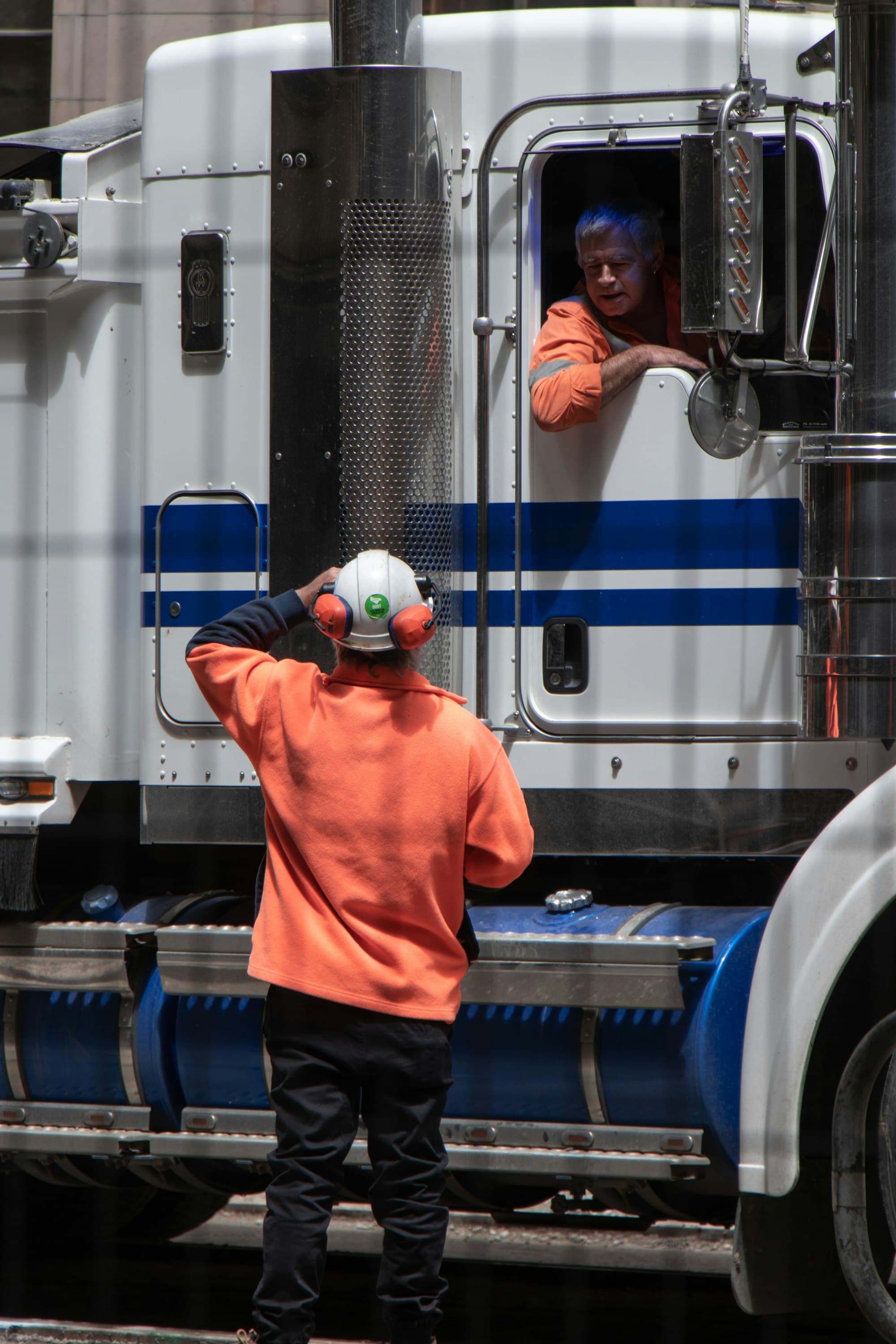
The next stop. A message from dispatch. The question about this week’s pay. Drivers can talk to Roadmark and hear an answer from their own work.
- Ask about the day ahead.
- Stops, appointment times, reference numbers, dispatch messages, hours of service and pay. Answers use the same Roadmark data as the app.
- Say it. Review it. Confirm it.
- Report an arrival or departure, dictate a message, or open the right screen. The assistant reads back the proposed action before the driver confirms.
- Built to be heard and understood.
- English and Québécois French, large on-screen captions and a slower speaking option. When signal drops, the next stop can still be read aloud on the phone.
Questions while the truck moves. Reports and other actions wait until it stops. A voice conversation needs signal; the app keeps its offline workflows.
Roadmark
Your next stop is Kingston Distribution Centre. Your appointment is seven to nine p.m.
You
Where am I going next?
Actions require the driver’s confirmation.
A driver's whole day, five screens.
Pre-trip inspection
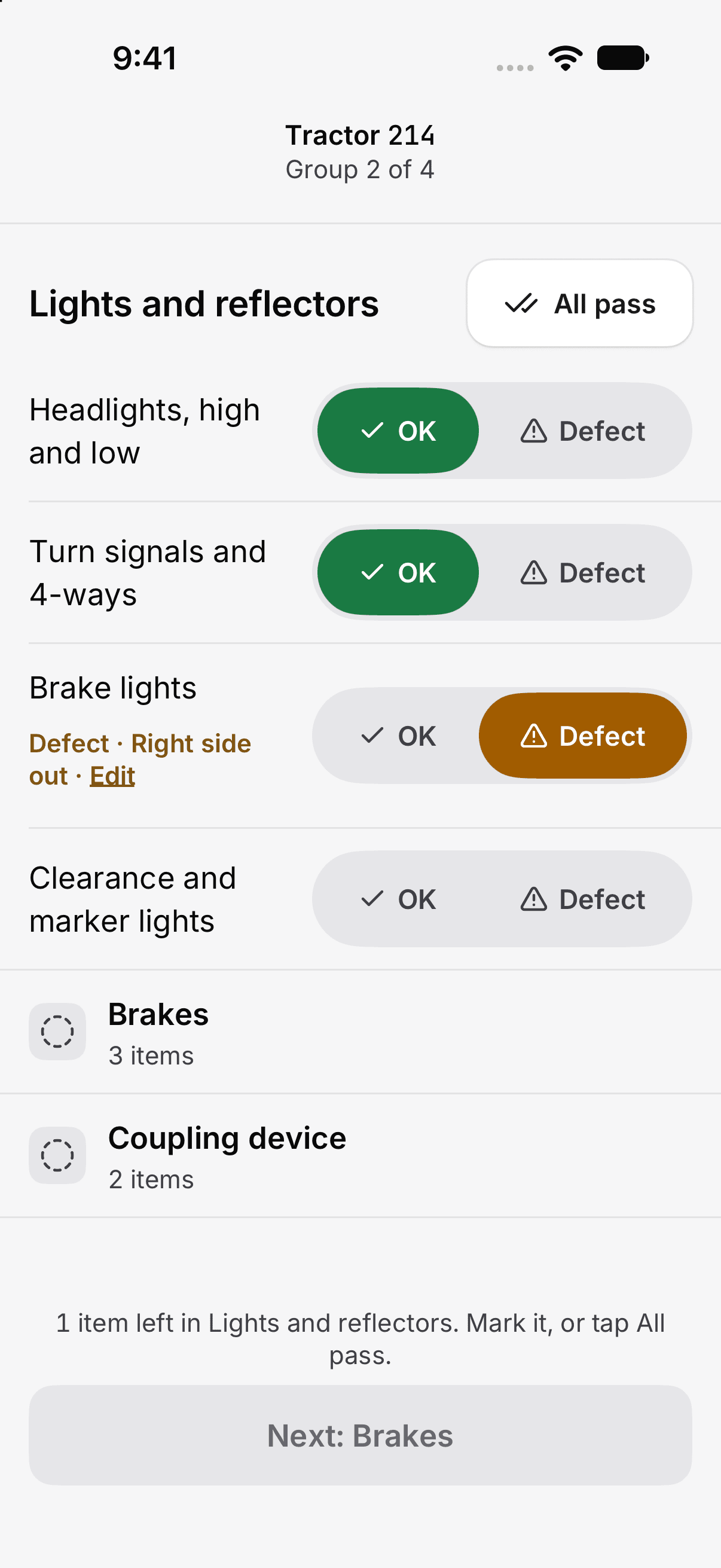
Check each unit, mark passes and record defects before departure.
Pickup
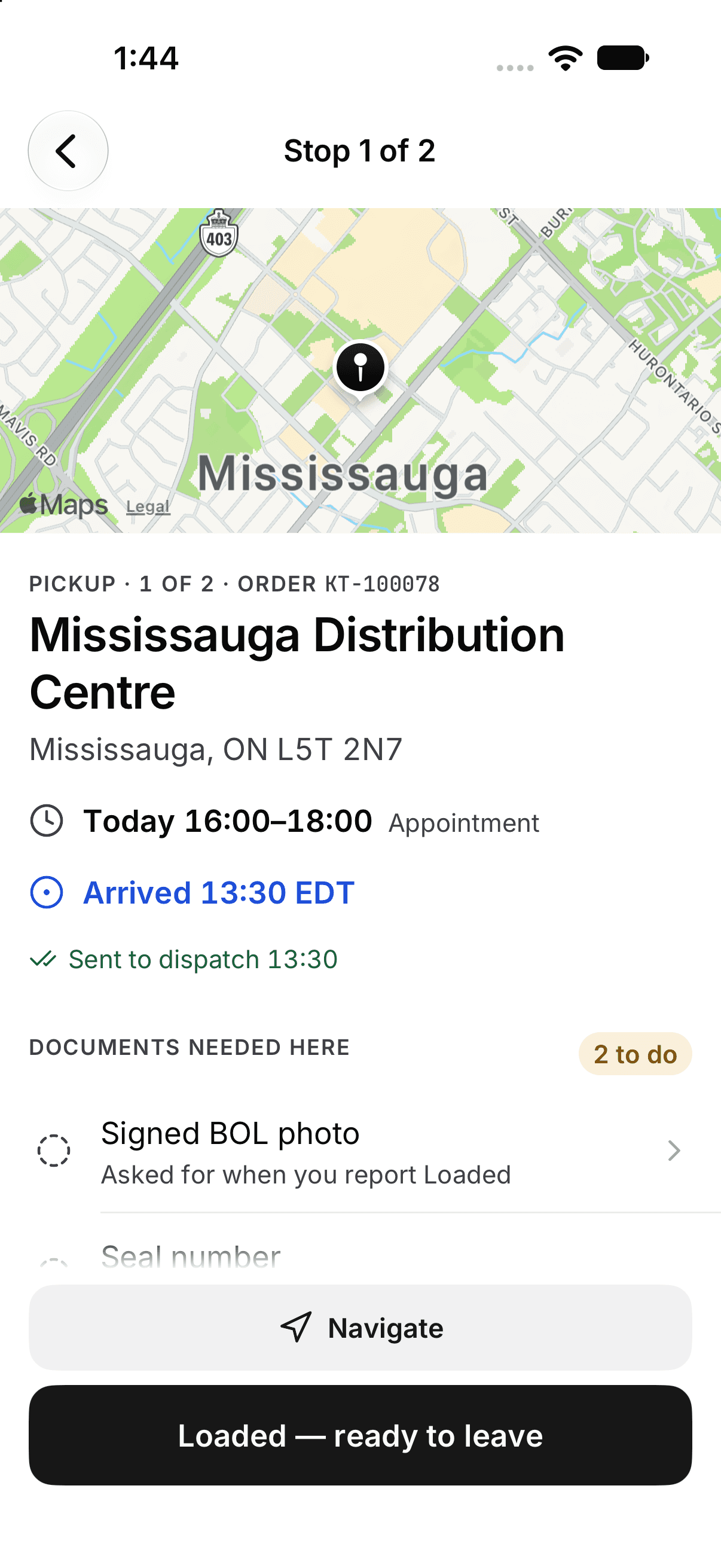
The location, appointment and paperwork, together on the stop.
Dispatch update
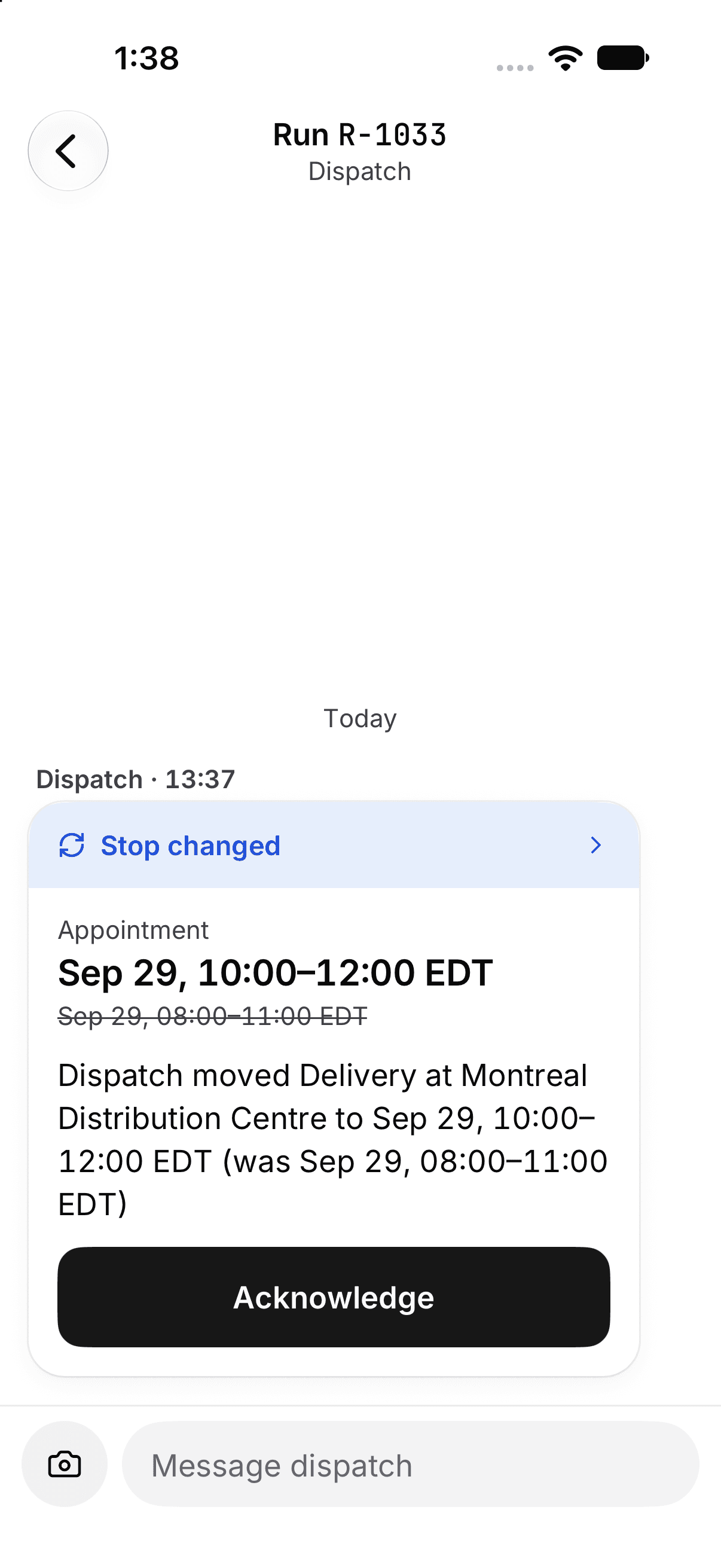
A changed appointment, with the old and new times ready to acknowledge.
Delivery paperwork
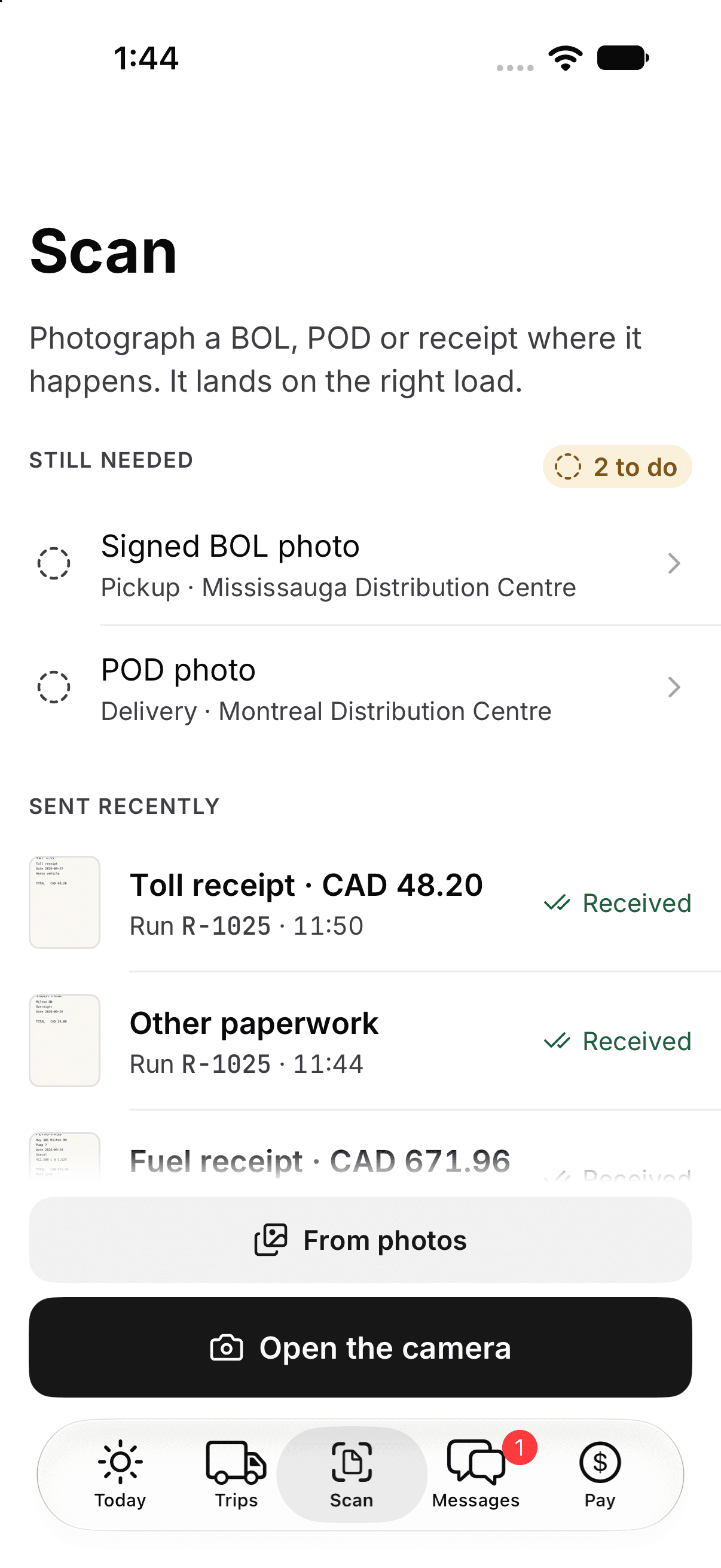
See what still needs a photo and what dispatch has already received.
Pay statement
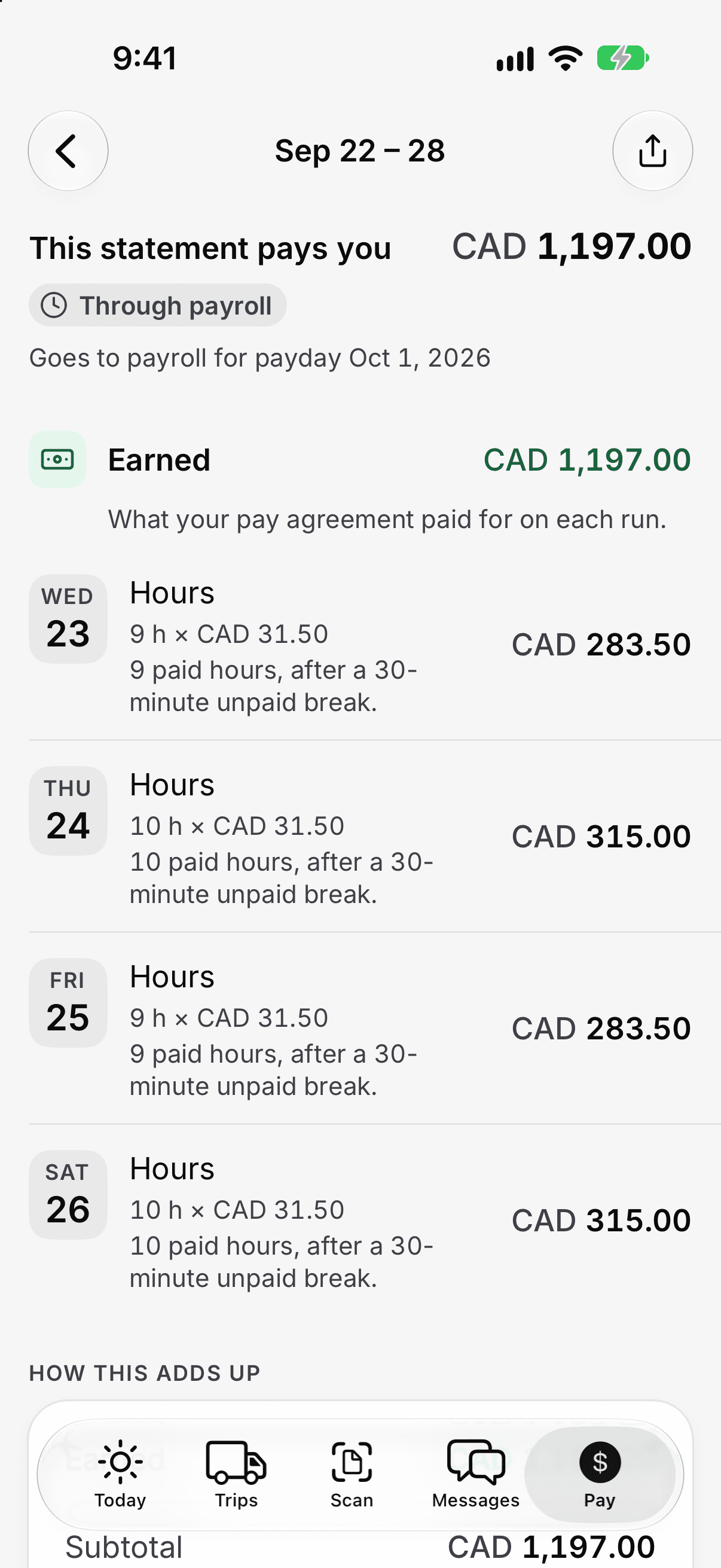
The earnings, hours and rate behind the total, with payday in view.
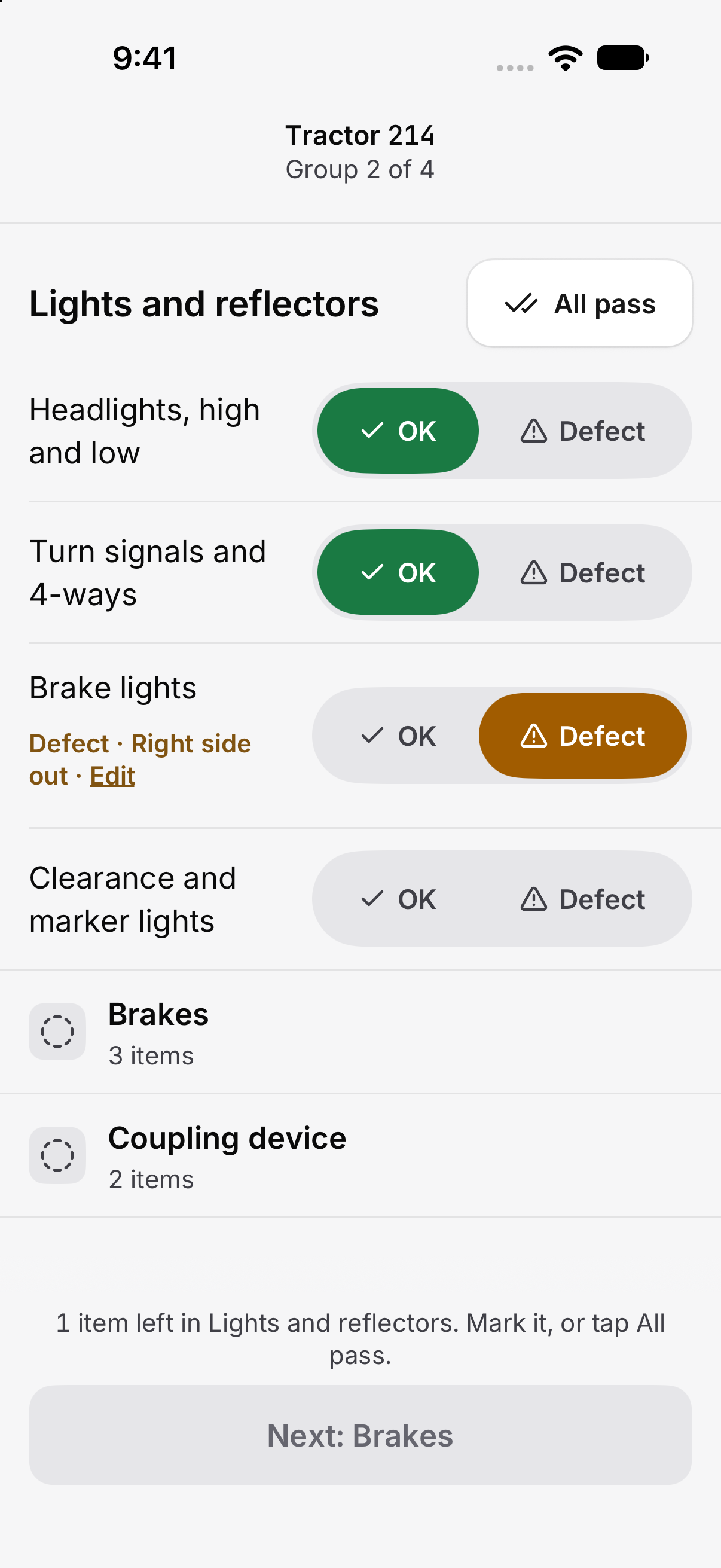
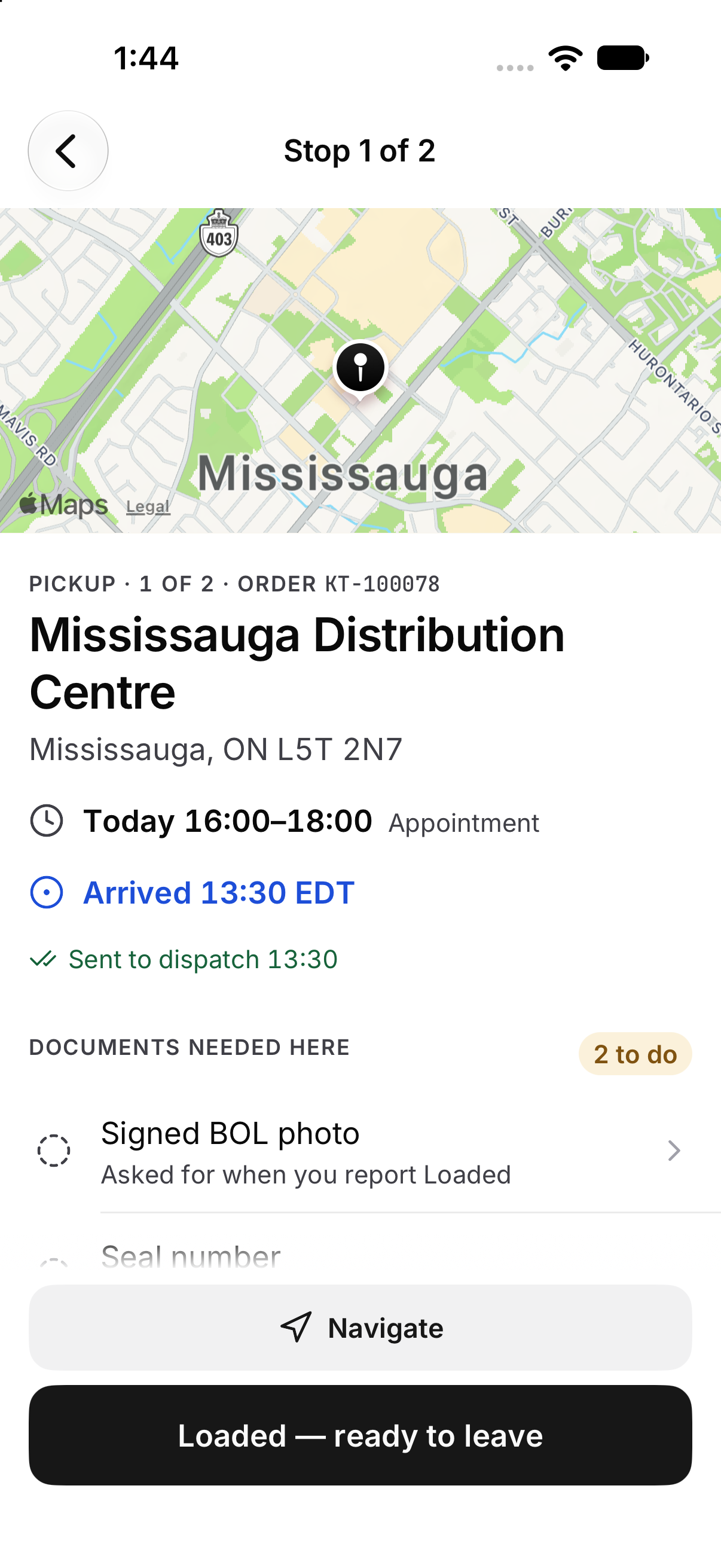
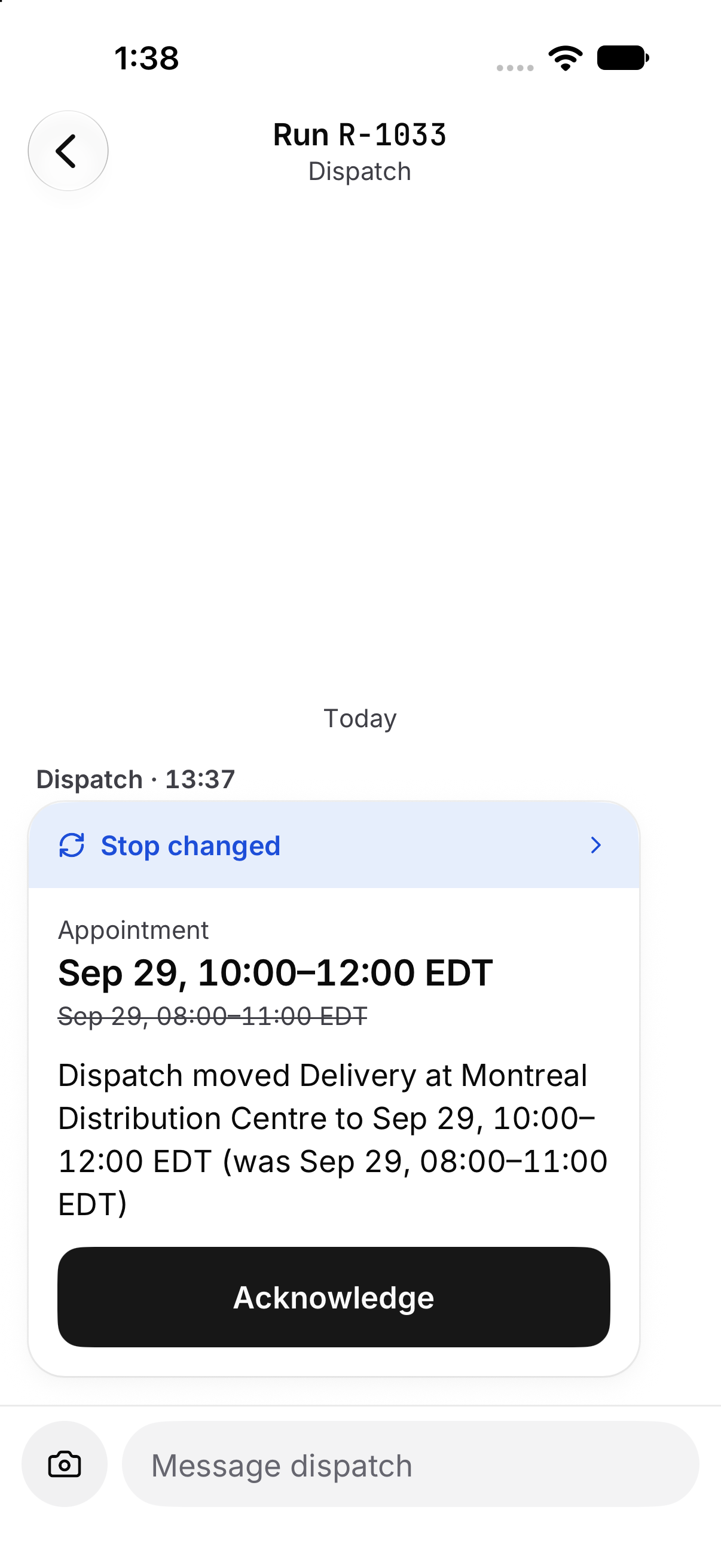
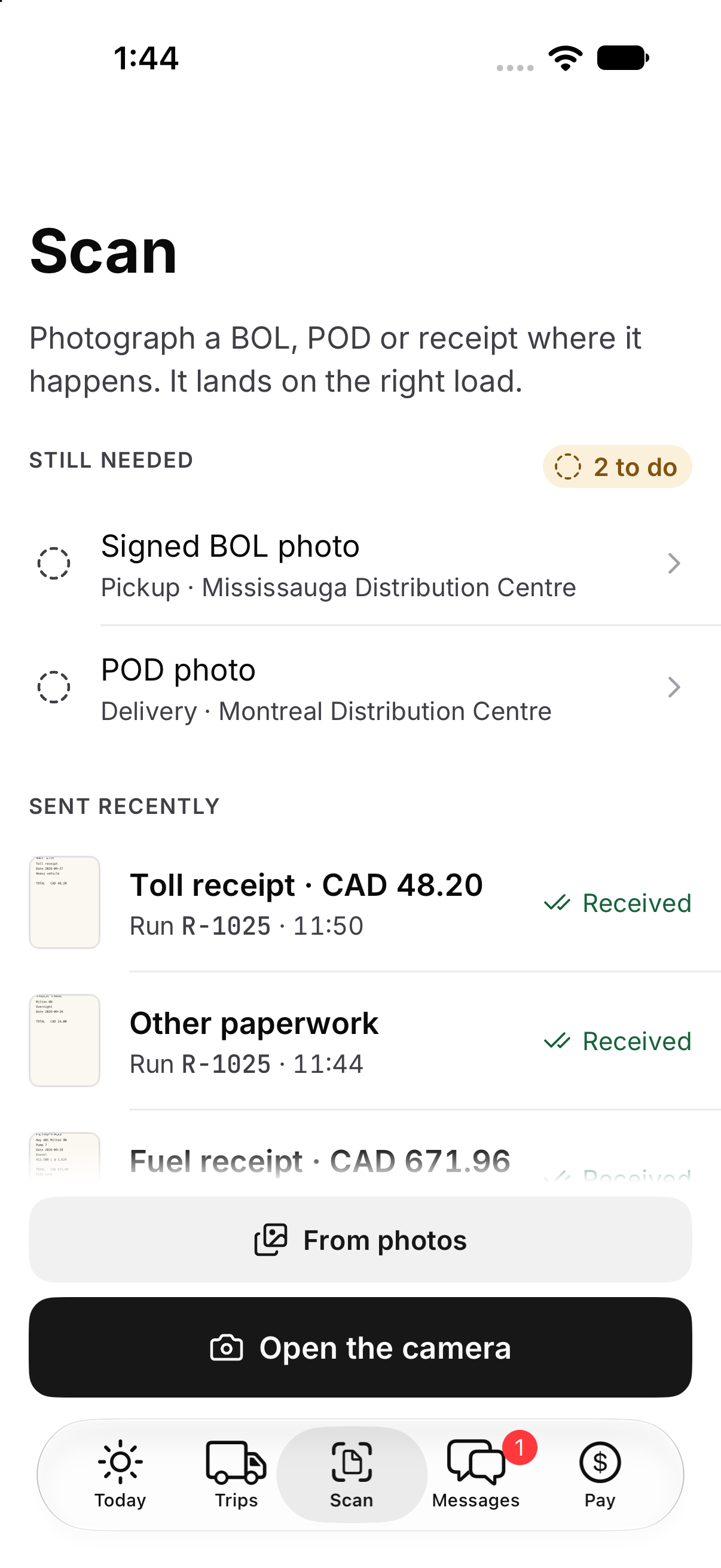
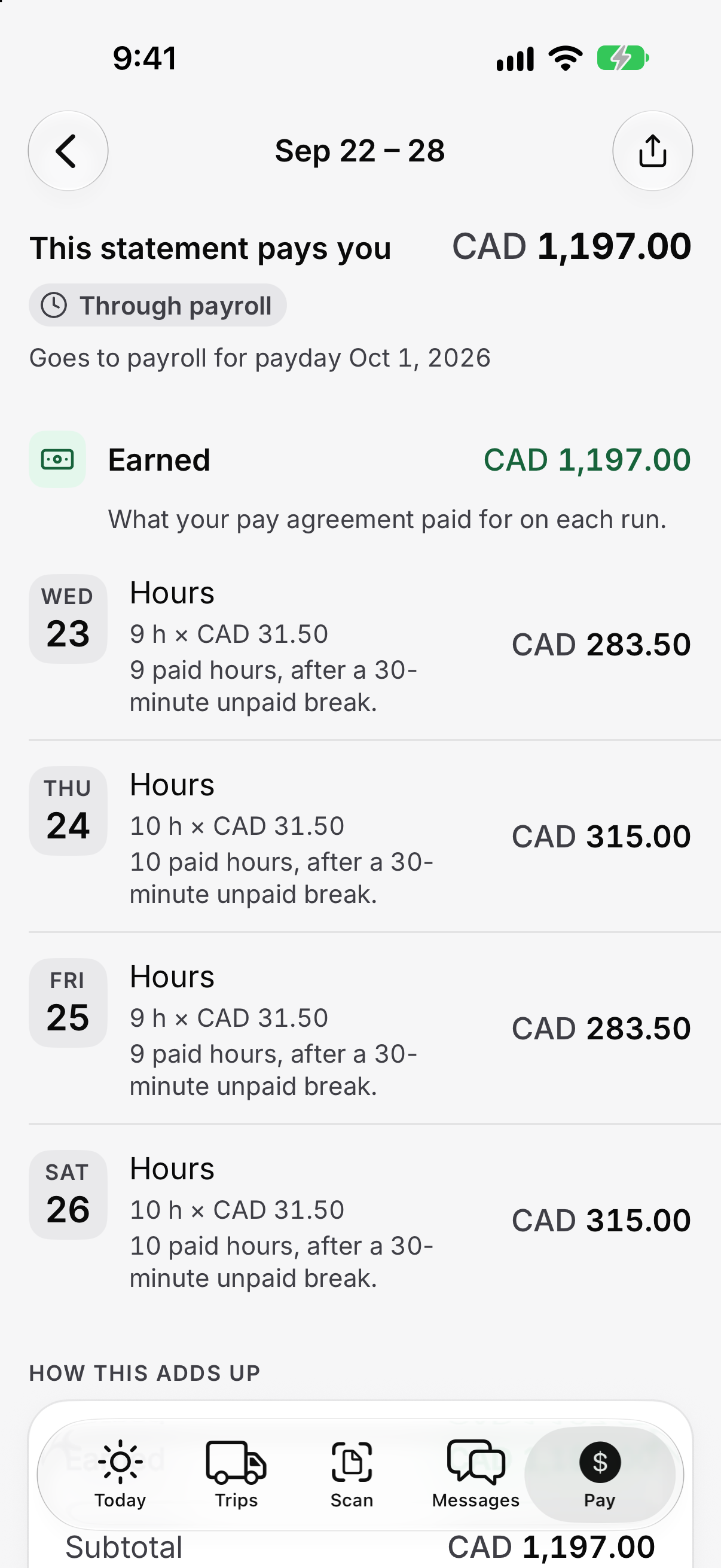
Actual app screens in English, with example data.
Select a screen to view it full size.
Photos and status wait for signal, then send on their own.
No signal · rural Wisconsin
- 13:10Arrived at deliveryQueued
- 13:22POD photo takenQueued
- 13:24Detention startedQueued
Back in coverage, 13:41
- 13:10Arrived at deliverySent
- 13:22POD photo takenSent
- 13:24Detention startedSent
Dispatch sees all three at 13:41, each still carrying its real time, not three events that all look like they just happened.
Every scanned document lands on the right load.
- BOLLoad 48213 · captured 06:12
- Scale ticketLoad 48213 · captured 06:31 · 41,260 lb
- Fuel receiptUnit 214 · captured 09:20 · $412.30
- PODLoad 48213 · captured 18:00
Pay a driver can check against every load.
CA$0.88/mi · CA$25.00 per extra stop · CA$20.00/h detention
- R. DiazDetention on 48211 shows 0 minutes, but I waited 55 minutes at the second stop.
- Settlement teamChecking the dock timestamps now.
- Settlement teamYou're right: 55 minutes at the Windsor stop. Adding CA$18.33 to next week's settlement.
Dispatch sees each step arrive without a check call.
| Time | Event | Load or unit |
|---|---|---|
| 05:42 | Pre-trip complete, no defects | Unit 214 |
| 06:12 | Picked up at Prairie Foods DC, BOL captured | 48213 |
| 11:32 | New ETA 14:40 CT sent to Prairie Foods, I-94 delay | 48213 |
| 14:40 | Arrived at Joliet, door 22 | 48213 |
| 18:00 | Delivered, POD captured, signed D. Kowalski | 48213 |
| 18:05 | Trip pay added, CA$456.11 | R. Diaz |
Questions
What drivers and fleet managers ask.
Does the driver app work offline?
Yes. A status update or photo taken without signal queues on the phone with its real time attached, then sends itself, in order, as soon as coverage comes back. Dispatch sees each event at the time it actually happened.
Do drivers still have to make check calls?
No. Pickups, arrivals, deliveries and documents the driver confirms on the phone land on the load board as they happen. A detour reaches the driver as a message, with the new window already on the stop.
What can drivers scan with the app?
BOLs, PODs, scale tickets and fuel receipts. Each photo is auto-cropped to the page and attached to the load or unit it belongs to, so nobody has to file it.
Can drivers see their pay in the app?
Yes. Each trip's pay is added the moment the load closes, with its miles, stops and detention: the same figures billing used for the customer invoice. A driver who disagrees can question a load and message the settlement team directly.
Does the driver app replace our ELD?
No. Hours of service come from the ELD your trucks already run, not from a driver typing a log, so there's nothing new to install in the cab.
Can drivers submit pre-trip inspections in the app?
Yes. The driver submits the DVIR on the phone at the start of the shift, and dispatch sees the pre-trip as complete on the load board.
Does the driver app have a voice assistant?
Yes. Roadmark Voice answers from the driver’s stops, appointments, messages, hours of service and pay. Drivers can prepare arrival or departure reports and dictate messages, then confirm before anything is sent. While the truck moves, the assistant answers questions; actions wait until it stops. Voice supports English and Québécois French. A conversation needs signal; the phone can read the next stop aloud offline.
Reads the ELD already in the cab.
Hours of service come from the ELD your trucks already run, not from a driver typing a log, and fuel stops are planned from the tank level it reports. Nothing new to install in the truck.


Bring your drivers. We'll show them the app.
Send us a few units and their current ELD. In the call, drivers can try the app on their own phone with a real load.
- Works with your current ELD
- Offline, for real dead zones
- What it would cost per driver